The Settings dialog
F2 in the switcher, or Settings in the tray menu.
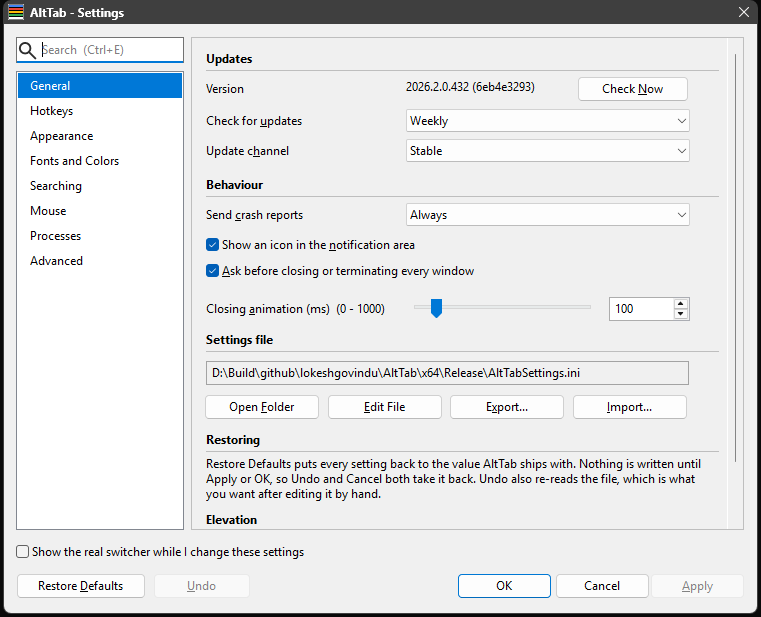
Everything is on one of eight pages, chosen from the list on the left. The buttons along the bottom behave the way they do everywhere:
| OK | Save to AltTabSettings.ini and close. |
| Apply | Save without closing. Greyed out until something actually differs from what is saved. |
| Cancel | Close without saving. Anything previewed is undone. |
| Restore Defaults | Every setting back to its default. Not saved until you Apply or press OK. |
| Undo | Throw away every change you have not applied, by re-reading AltTabSettings.ini. It asks nothing: the unapplied edit is the destructive thing, not the discarding of it. It is also what to press after editing the file by hand, since re-reading the file is how the undo is done. |
Apply and Undo light up together, because they answer the same question from opposite ends — is there anything unsaved? If one is available the other is.
The dialog is resizable in height, and the extra room goes to the page. Width is fixed: every page sits on a measured grid, so stretching it sideways would widen a numeric box or a push button along with the lists.
Finding a setting
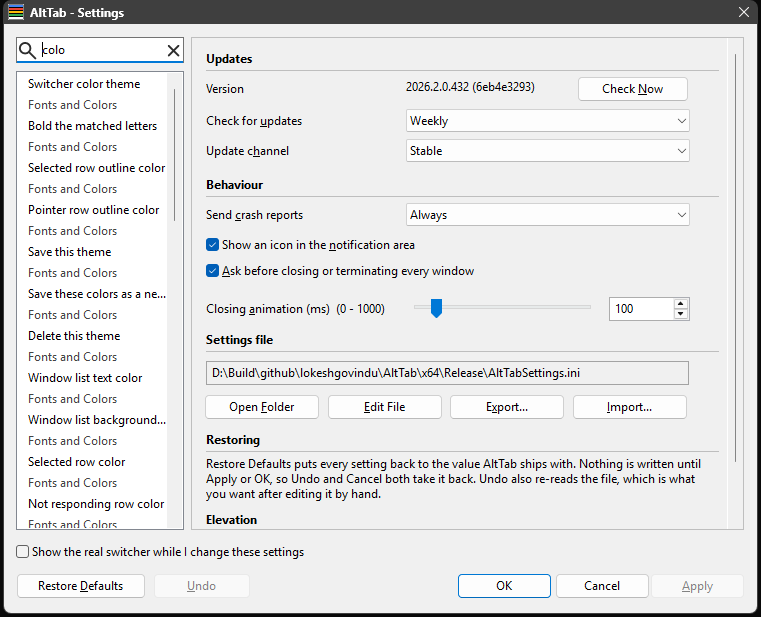
The box above the category list searches every setting on every page, by name and by related words — colour finds the colour rows, tooltip finds the mouse settings. Choosing a result opens the page it is on.
Ctrl+E or Ctrl+K puts the cursor back in it from anywhere in the dialog, selecting whatever is there so typing replaces it. ↑ and ↓ walk the results, or the category list when you have not typed anything, and Enter goes to the highlighted one — so a setting can be found and reached without leaving the keyboard. Page Up and Page Down move by a screenful.
It finds raw INI keys too. NotRespondingBackgroundColor has no control anywhere, and searching for it opens the Advanced page with that row selected.
An explanation for every setting
Hover any control and a tooltip explains what it does, in a sentence or three. There is no description pane at the foot of the dialog — the explanations are all in the tooltips, which leaves the space for the settings themselves.
Watching a change before you keep it
Tick Show the real switcher while I change these settings and the actual switcher opens beside the dialog. It is not a mock-up or a picture: it is the switcher, at its real size, on its chosen monitor, painted with whatever is currently on these pages.
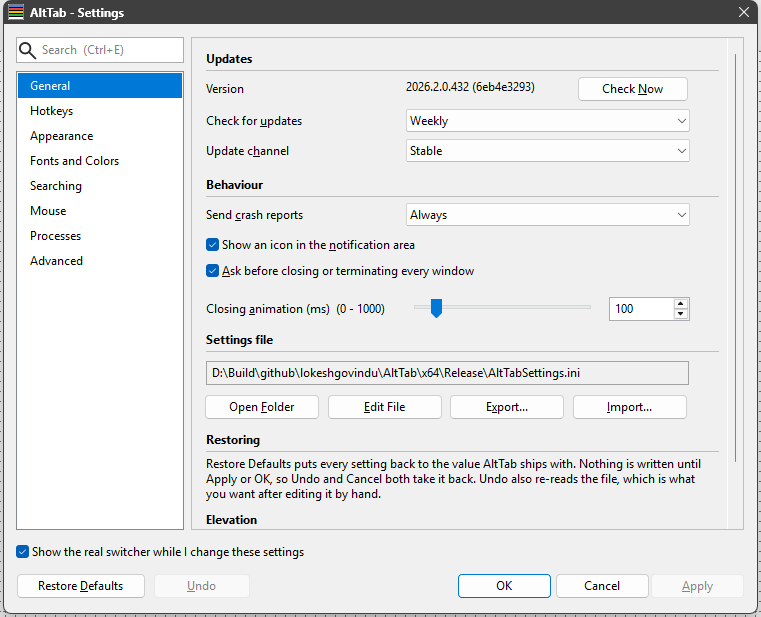 | 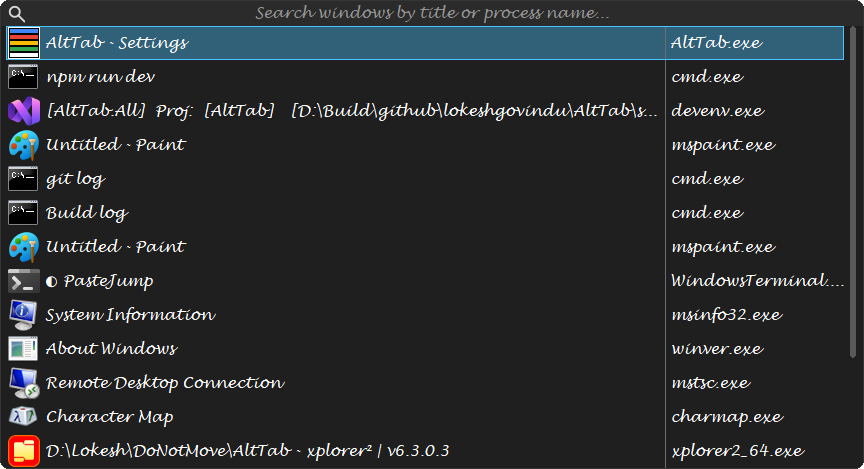 |
Things worth knowing about it:
- Clicks on it do nothing. It is the real switcher, so its close button would really close windows. Moving the pointer over it does work, so the hover chrome demonstrates itself.
- The hotkeys are inert while it is up. Otherwise Tab would step the preview's list instead of moving between the dialog's controls. Unticking the box gives them back without closing the dialog.
- It is a temporary apply. Cancel undoes it by reloading the file.
- If you have more than one monitor the dialog moves, to leave the switcher where it would really be. With one monitor the two are stacked instead.
[General] PreviewPlacementoverrides that choice: SameMonitor always stacks them, which is what a screenshot of both wants, and OtherMonitor keeps them apart wherever it can, which is what makes the size and centring settings worth judging.
The pages
General
Five sections: Updates, Behaviour, Settings file, Restoring and Elevation.
Updates shows the version you are running, with the commit it was built from — the build number is a count of commits, so every build of one commit shares a version and only the commit says which build this is. Check Now asks immediately, whatever the two settings beside it say.
Behaviour holds crash reporting, the notification-area icon, whether closing everything asks first, and the closing animation.
Settings file shows where AltTabSettings.ini lives, with four buttons:
- Open Folder and Edit File -- the file can be edited by hand, and AltTab notices it changing.
- Export... writes a copy wherever you choose. It copies the file as it is on disk, so press Apply first if you have unsaved changes on these pages.
- Import... reads one back, and applies only the settings that file mentions. Anything it leaves out keeps its current value, which is what makes it safe to import a file written by an older build or edited by hand -- a plain copy would reset every key the file omitted. Your own file is kept as
AltTabSettings.ini.bakfirst, and the dialog is refilled from the result the way Undo does.
Send crash reports is on by default, and it is the only setting here that sends anything about a failure anywhere. Set it to Never and the crash reporter is never started at all. Otherwise a crash sends the call stack, the list of loaded modules and AltTab's version — and deliberately nothing else. In particular there is no memory dump, because AltTab's memory holds the title of every window you have open, so a dump would carry all of them. No window titles, no file paths, no search text, no machine name, no user name, no screenshot. The full list is in the project's privacy policy.
Hotkeys
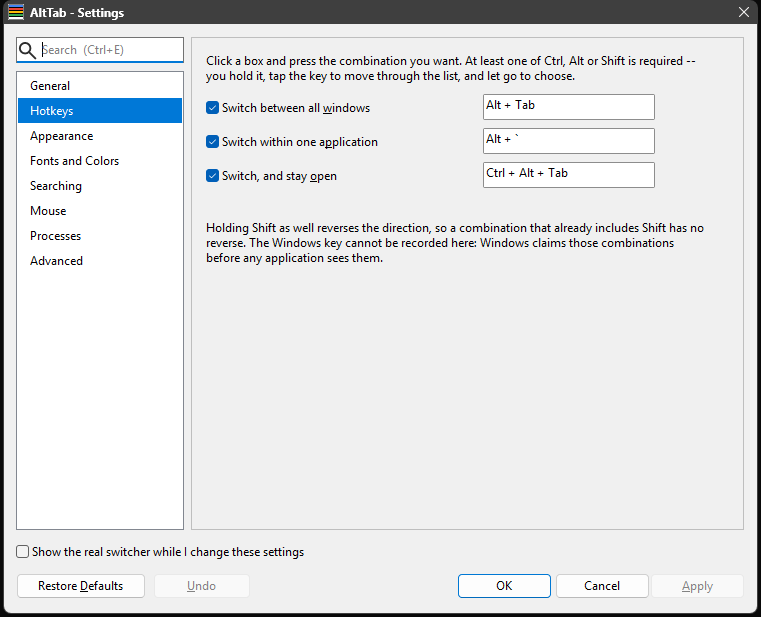
The three gestures and their combinations — see Hotkeys and keys.
Appearance
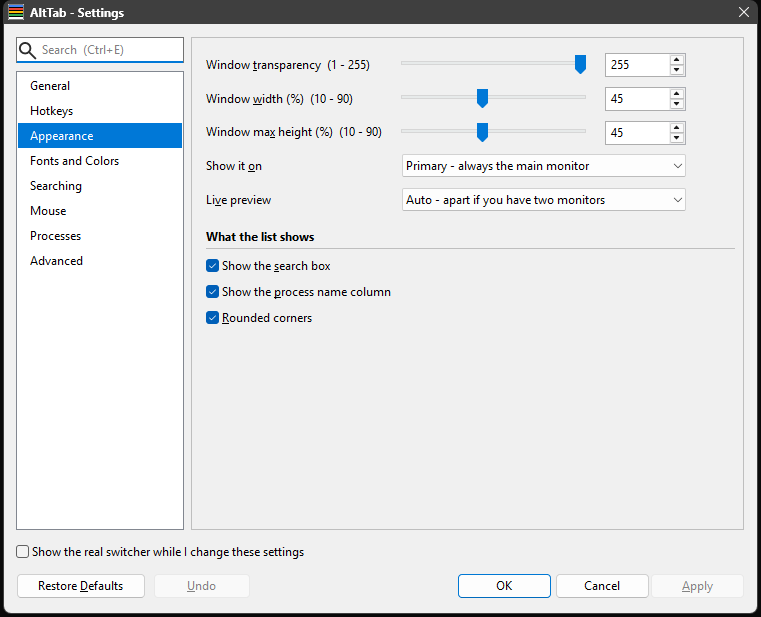
Size, monitor, transparency, rounded corners, which of the two views the switcher wears, whether it carries a live preview of the selected window, and whether it lists only the windows on one monitor — see Appearance and themes.
The live preview has a section of its own at the foot of the page: whether to show it, where it goes, how much room it takes, and what the rows say while it is on. Note the combo higher up called Preview switcher monitor is a different thing entirely — it decides which screen the real switcher opens on when you tick Show the real switcher while I change these settings, not where the preview sits inside the switcher.
Fonts and Colors

The theme, and the fonts and colours of the search box and the window list. See Appearance and themes.
Searching

How close a match has to be, what the search box says before you type, and whether typing keeps the switcher open — see Finding a window. The last one is off by default: letting go of the hotkey activates the selected window whether or not you have typed.
Mouse
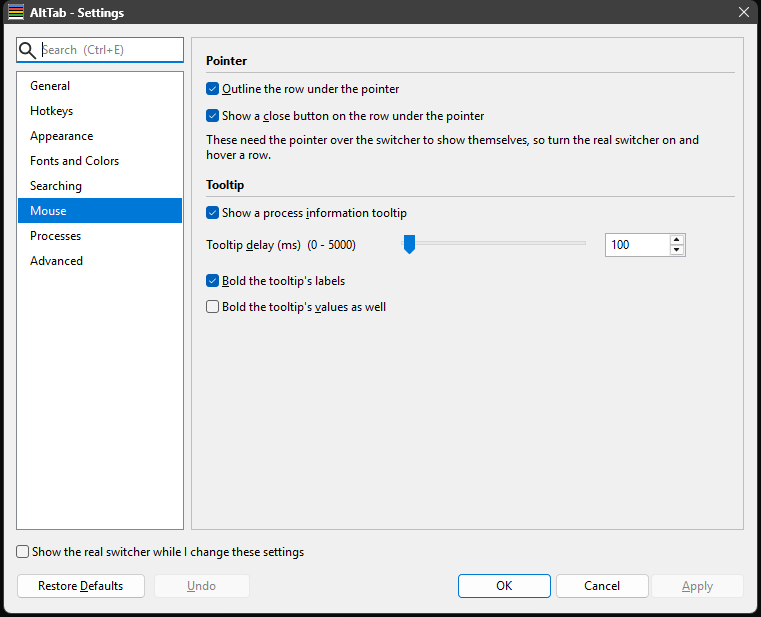
What hovering a row does: the outline, the close button, the information tooltip, how long the pointer must rest before it appears, and whether the tooltip's labels and values are bold. See The switcher.
Processes
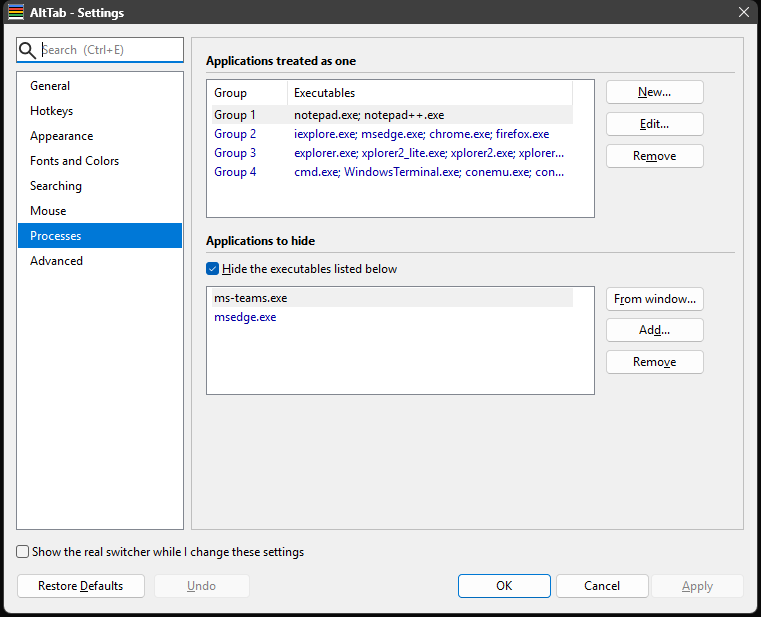
Two lists of executables: which ones count as one application, and which ones to hide from the switcher entirely. Neither is typed as a file name if you would rather not — From window... lists what is running, by icon, executable and the windows using it, so you pick the application you mean; Add... is there for something that is not running.
Hiding is by executable name, so hiding explorer.exe hides every File Explorer window. It applies however the switcher was opened — Alt+Tab, Alt+`, Ctrl+Alt+Tab or the tray icon — and a hidden executable stays hidden even when it is grouped with the application you are switching within.
Advanced
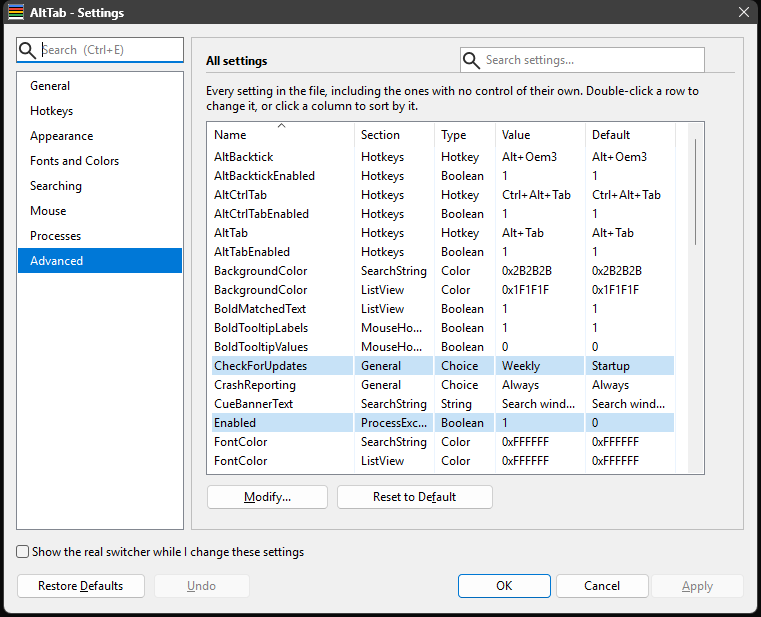
Every setting in the file: name, section, type, current value and default. That is all this page holds now -- the settings-file box, Restoring and Elevation moved to General, where they belong: none of them is an advanced setting, and this page is for the list.
Almost every setting has a control of its own somewhere, so this is no longer the only way to reach anything. It stays useful as the one place that shows every value and every default at once, and as the quickest way to see what you have changed.
- A row whose value differs from the default is tinted, so what you have changed is visible without reading the two columns against each other.
- Click a column header to sort; click again to reverse. It opens in name order.
- The filter box narrows it, matching on every column — so
0xFF0000finds which colour is red. - Select a row and press Modify to edit that value. Edits here behave like any other control: they survive until Apply or Cancel.
The settings reference is the same list as a document.